

Mac app
A to-do list,built like a dashboard.
Write tasks down and see what's next. A meter in the menu bar shows what you've earned today, second by second, and a drawer at the top of the screen has a focus timer plus caffeine and water tracking.
Version 1.2, with the Dashboard, is coming soon. The store currently has 1.1, still called Next TODO, with tasks and widgets only.
- macOS 15 or later
- 6 languages
- No account

Tasks · Free
Faster to write down than to think about.
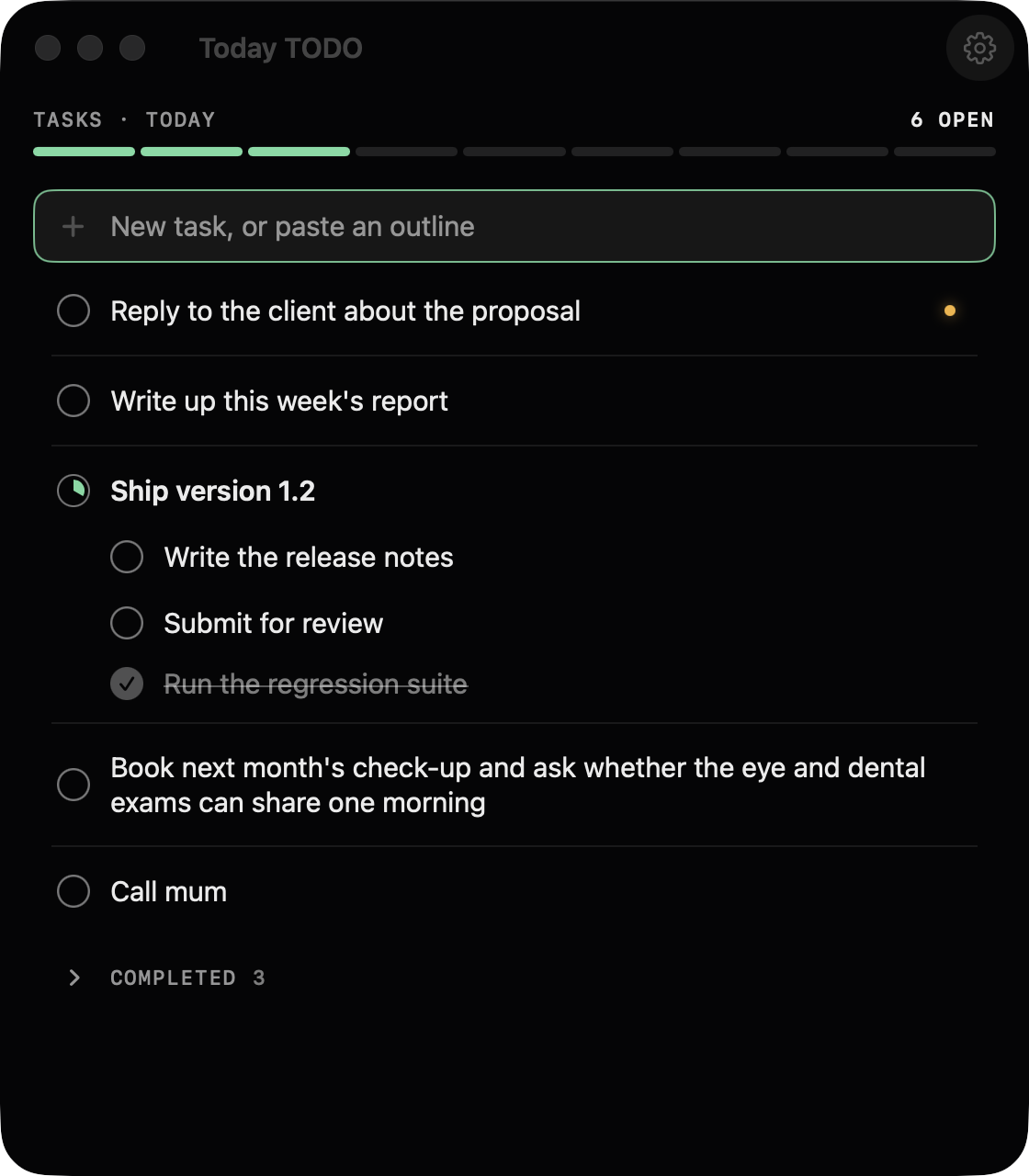
Type, press Return. Paste a whole outline and it becomes a list with sub-tasks, up to three levels deep. Mark what can't wait as urgent and it moves to the top.
- Or just say it. Speech is turned into text on your Mac; Siri and Shortcuts can add a task without opening the app.
- One large desktop widget: click a circle to complete, click a title to edit, and put your own picture behind it.
- Your own keyboard shortcuts, undo and redo, three text sizes, VoiceOver and full keyboard control.
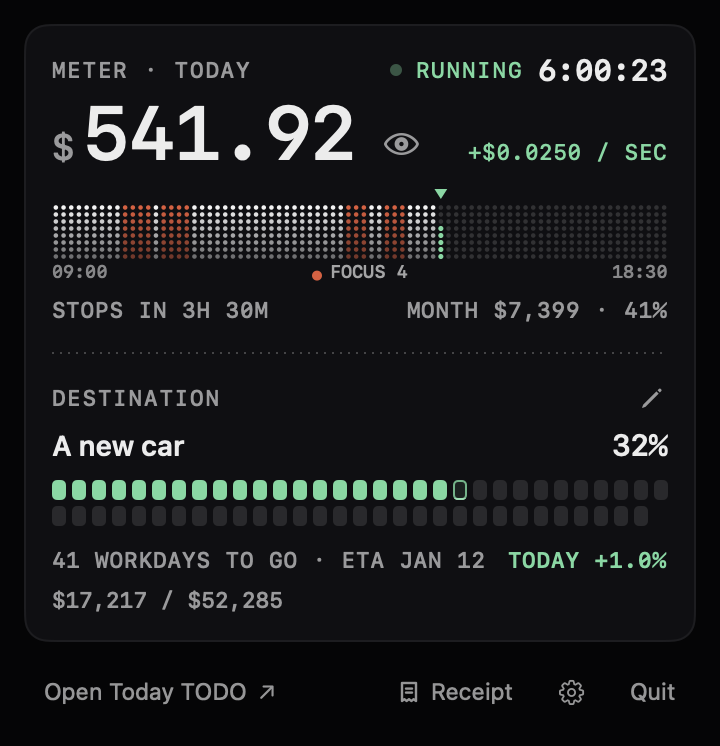
Meter · Dashboard
Your pay, turned into something you can see.
During work hours the dog in the menu bar shows what you've earned today, second by second. Then set a destination: the price of something you want, or a number of days. Your pay moves one cell closer every workday.
- When your pay gets there, hold Collect: the destination is marked as reached and a ticket prints. You can undo it.
- Hide the amounts when someone is looking over your shoulder.
Clock out, get a receipt.
It prints out of the notch: how long the meter ran, how far through the month you are, how much closer the destination got, plus focus, coffee and water. There are no amounts on it, and you can save it as a picture.
Top of the screen · Dashboard
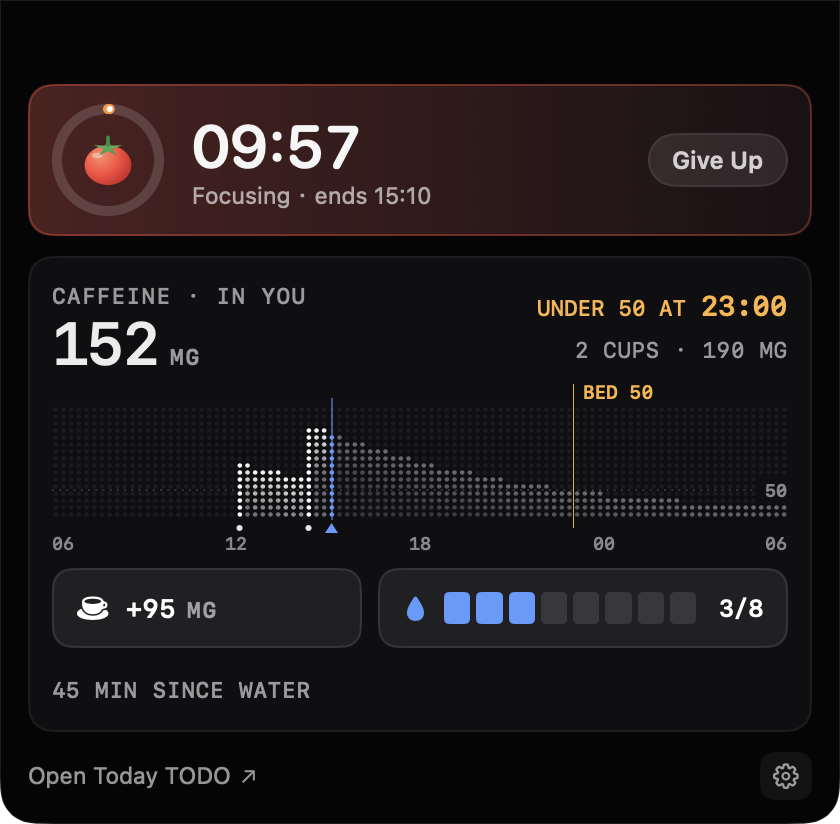
Look up: focus timer, coffee and water.
Move the pointer to the top of the screen and a drawer opens. Start a focus session and the notch shows progress and the countdown on either side.
- Hold to log a coffee or a glass of water. You have 5 seconds to take it back.
- It estimates the caffeine still in your body and the latest time you can have another cup.
- Water reminders during work hours: droplets light up beside the notch. No sound, no system notifications.
Caffeine is estimated from a half-life model. It is a guide, not medical advice.
Your data stays on your Mac.
No account
Nothing to sign up for. Tasks, pay and records are stored only on your Mac.
No analytics, no ads
The app sends nothing to the developer or to any third party.
Only purchases go online
The trial, purchases and restores go through the App Store, and Apple handles payment.
Tasks are free. Try the Dashboard for 14 days.
The trial needs no payment and nothing is charged when it ends. After that the Dashboard switches off; your settings and records stay, and tasks keep working.
Tasks
Free
No time limit, no trial needed
- Tasks, sub-tasks and an urgent flag
- Paste an outline, voice input
- Siri and Shortcuts
- Desktop widget
Dashboard
14-day free trialOne-time purchaseEarly bird · Save $10
$19.99Price after the early-bird period $29.99
Pay once, keep it. Less than 11 months of the subscription.
Goes to $29.99 when the early-bird price ends. Buy now and there is nothing more to pay later.
- Meter, destinations and receipts
- Focus timer
- Caffeine and water tracking
- Features added to the Dashboard later
U.S. prices; other regions see their price on the App Store before buying. The monthly subscription renews automatically and can be cancelled any time in your Apple Account subscriptions. Lifetime includes every feature added to the Dashboard later. Family Sharing is not supported.
Questions
What happens when the trial ends?
The Dashboard switches off: the meter, focus timer, caffeine and water stop working. Your settings and records stay, and tasks and the widget keep working. Nothing is charged, and the app will not nag you to buy.
I have a new Mac, or reinstalled the app. Do I pay again?
No. Purchases belong to your Apple Account. Open Settings, go to Dashboard and click Restore Purchases.
After the one-time purchase, is there anything more to pay?
No. Lifetime includes every feature added to the Dashboard later. If a monthly subscription is still renewing when you buy lifetime, cancel it in your Apple Account subscriptions; Apple will not cancel it for you.
How do I cancel, or get a refund?
Cancel under Subscriptions in your Apple Account. Refunds are handled by Apple: request one at reportaproblem.apple.com.
Is there an iPhone version? Does it sync?
No. Today TODO is for Mac only, and your data is stored only on that Mac. There is no cloud sync.
Anything else? Write to surgethisworld@gmail.com